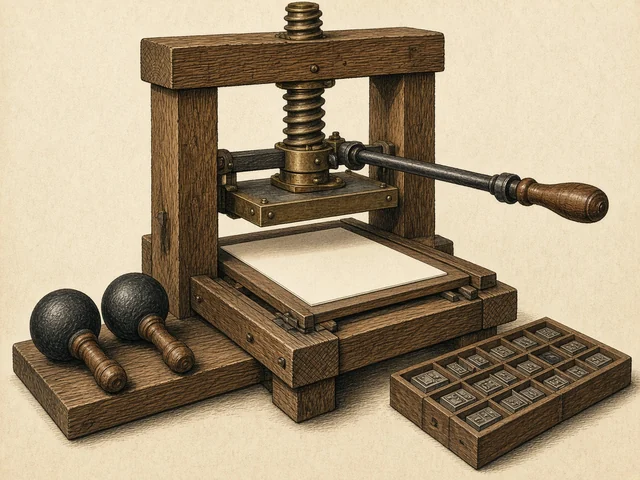
Build a visually exceptional interactive feature for my existing AI news website.

The concept

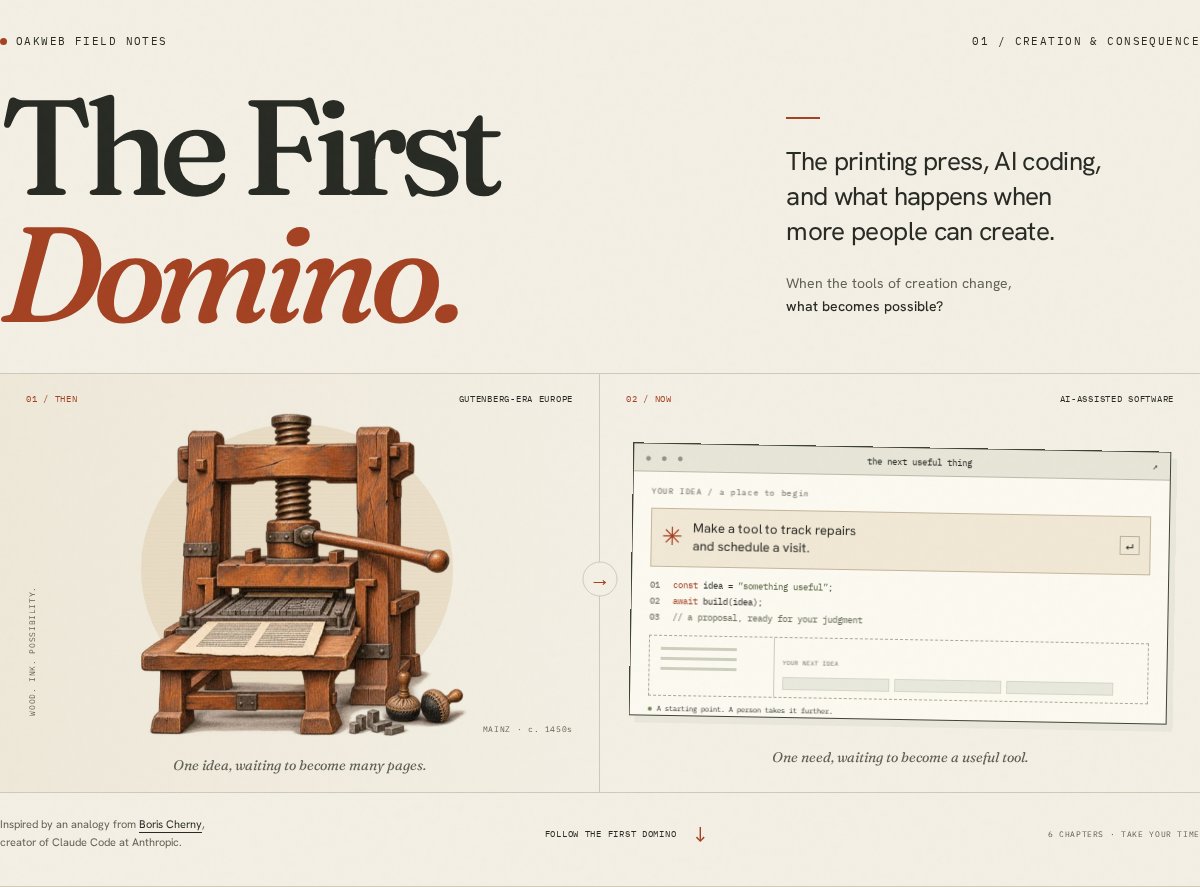
Title: The First Domino
Subtitle: The printing press, AI coding, and what happens when more people can create.

Create an editorial experience that compares the spread of printing in Gutenberg-era Europe with the possibilities opened by AI-assisted software creation.

The inspiration is Boris Cherny, creator of Claude Code at Anthropic. His analogy asks us to look beyond the immediate productivity improvement and consider what becomes possible when a capability becomes accessible to many more people.

The page should feel like a beautifully art-directed interactive documentary: striking typography, tactile illustrations, deliberate stop-motion movement, and a story that unfolds through scrolling.

The visitor should understand the comparison through what they see happening.

Work within my existing site

Inspect the current project first. Identify its framework, routing, theme, typography, components, and animation tools.

Create this as a dedicated feature page within the existing AI news site, with an appropriate entry point from the news page. Follow the project’s existing conventions and give the feature a distinctive editorial treatment that belongs to the site.

Make reasonable implementation decisions and build the complete experience through to a working preview.

The two parallels

Organize the entire story around these two connections:

1. Automation changes who can participate.

Printing reduced the labor involved in reproducing written material. AI coding can reduce parts of the work involved in implementing software.

The common thread is a production bottleneck becoming less restrictive.

2. Wider participation creates new possibilities.

The larger question is what happens when more people can access knowledge, experiment, and build things around their own needs.

Make the payoff about people and useful outcomes. Pages printed and lines of code are supporting details.

Keep the mechanisms distinct: printing reproduces text; AI coding generates and modifies software that still needs judgment, review, and maintenance.

Visual direction

Use a coherent visual world across the whole page:

Historical elements: warm paper, ink, engraved lines, wooden printing machinery, metal type, restrained shadows.

Modern elements: precise interface components, code fragments, browser frames, clean diagrams, and working software previews.

Shared palette: charcoal, warm ivory, and one strong accent selected to complement the current site.

Typography: a strong editorial display face paired with a highly readable text face; use monospace selectively for the software elements.

Composition: large illustrations, confident negative space, and short passages of copy.

Make the objects feel carefully constructed and tactile. Use subtle texture without compromising readability.

Use one recurring rectangular object as the visual thread: a manuscript page becomes a printed sheet, then a browser window, then a useful application.

Build the layout around these illustrated scenes and their transformations.

Storyboard

Scene 1 — Two moments, one question

Open with a large split composition.

On the left, show a recognizable historical printing press with a sheet of paper waiting beneath it.

On the right, show an AI coding workspace with a simple written request and the outline of an application waiting to be built.

Align the two work surfaces so the relationship is immediately visible.

Headline:

The First Domino

Supporting copy:

“When the tools of creation change, what becomes possible?”

Add a discreet cue to scroll and a small attribution introducing Cherny’s analogy.

Use a brief, restrained opening animation that settles into a readable composition.

Scene 2 — Before the machine

Show the labor involved in making something.

On the historical side, a hand copies a few lines onto a manuscript. The movement advances in deliberate stop-motion poses.

On the software side, a developer assembles an application from requirements, code, interface pieces, and checks.

Keep the human work thoughtful and skilled.

As the visitor scrolls, unfinished pages and unfinished software tasks accumulate around the two work surfaces.

Section heading:

“The work limits the reach.”

Explain briefly that when production requires substantial time and specialized labor, fewer projects can be attempted.

Scene 3 — The mechanism changes

This should contain the page’s signature transformation.

Individual pieces of metal type click into position. The press descends. A printed sheet emerges.

At the same scroll position on the software side, a plain-language request becomes a proposed implementation, a visible preview, and a human review step.

Then let the boundary between the two eras disappear briefly:

Metal type transforms into code fragments.
Code fragments resolve into interface components.
The printed sheet becomes a browser window.

Match the objects’ position, size, and movement across the transformation so it feels like one continuous action.

Use a deliberate frame-by-frame rhythm for the illustrated objects while keeping the text and scrolling stable.

Section heading:

“A new way to make.”

The software preview should visibly respond to the example request. Give it enough functional detail that the visitor understands what was created.

Scene 4 — More people, more possibilities

Expand the scene outward.

On the historical side, printed pages become books that reach additional readers and settings. Convey that this expansion unfolds over time and depends on learning and institutions as well as machinery.

On the modern side, show people shaping software around specific needs:

A teacher creates a simple lesson-planning tool.

A small shop owner creates an inventory tool.

A property manager creates a maintenance-request tracker.

Give each miniature application one recognizable interaction. For example, a maintenance request moves from “Reported” to “Scheduled,” with an appointment appearing.

Make these examples feel useful and human.

Section heading:

“What happens when more people can build?”

Bring the two central parallels into clear view here:

Lower barriers. Broader participation.

Use a compact paired comparison within the scene:

Printing / AI-assisted software
- Less labor to reproduce text / Less manual work for some implementation tasks
- Written material can circulate more widely / More people can attempt useful software projects
- New uses of accessible knowledge emerge over time / New uses of accessible software creation may emerge

Keep this integrated into the editorial composition.

Scene 5 — Judgment still matters

Keep people present in the story.

On the historical side, show a reader annotating a printed page and an editor correcting a line.

On the modern side, show someone identifying a requirement the generated application missed, reviewing a failed check, and correcting the result.

Use another visual connection:

An ink annotation becomes a software review comment.

Section heading:

“The tools change. Judgment matters.”

Keep the copy brief and grounded:

“Knowing what to make, checking whether it works, and deciding whom it serves remain human responsibilities.”

Show the improvement in the application after the review.

Scene 6 — The first domino

Resolve the story into a memorable closing composition.

The printing side becomes a short sequence illustrating cheaper reproduction, wider circulation, and new uses of knowledge. Present this as a simplified illustration of connected changes.

On the AI side, the first domino is labeled:

“Easier software creation.”

A few possible next steps appear beyond it, with the distant pieces becoming outlines.

Leave the final possibilities open.

Closing headline:

“What does this unlock?”

Add three optional horizon controls:

10 years: What everyday problems could people solve with tools they make themselves?

20 years: What new ways of working could grow from broader access to software creation?

50 years: What uses are we unable to imagine today?

These are questions for exploration. Keep them clearly framed as possibilities rather than forecasts.

End with a link back to the AI news page and an unobtrusive source section.

Motion and interaction

Use scroll-driven storytelling with a stop-motion aesthetic.

On desktop, use a shared illustrated stage with the two eras synchronized. Let selected scenes remain briefly in view while their transformations unfold.

Make the animation reversible: scrolling backward should return objects coherently to earlier states.

Use stepped poses for illustrations and smooth, stable behavior for reading and navigation. Keep the stop-motion effect in the artwork.

Provide small chapter markers with meaningful labels. Let visitors jump directly to each scene.

Preserve normal browser scrolling, keyboard navigation, and touch behavior.

Keep the narrative moving. Each scene should communicate one clear idea without requiring excessive scrolling.

Mobile and accessibility

Design the phone experience deliberately.

Stack each historical moment directly with its modern counterpart so the comparison remains clear. Adapt the illustrations to the available space.

Keep text readable and controls easy to use.

Provide:

A visible “Read without animation” option.

Support for the system’s reduced-motion preference.

A complete static version of every important scene.

Semantic headings and readable text outside the graphics.

Visible keyboard focus and accessible controls.

Captions that communicate the same ideas as the animation.

The story should remain complete when motion is disabled.

Editorial accuracy and attribution

Attribute the analogy to Boris Cherny, creator of Claude Code at Anthropic.

Source reference:

https://computerhistory.org/blog/in-conversation-with-boris-cherny-creator-of-claude-code/

Use the official recording linked from that page to verify any direct quotation or timestamp.

The supplied transcript’s coherent passage ends with:

“What does that unlock when anyone is able to code?”

Exclude the garbled material following that question. Do not reconstruct missing speech.

Treat the historical percentages, price reductions, and production comparisons in the supplied transcript as claims requiring verification. Use qualitative language unless reliable sources support the exact figures, time periods, and geographic scope.

Frame the historical setting specifically as Gutenberg-era Europe. Verify any broader claims about the history of printing.

Present Cherny’s comparison as an analogy and his expectations as his perspective. Explain broader historical developments with appropriate nuance.

Use short verified quotations, clear paraphrases, and source links. Keep the editorial voice curious, intelligent, and grounded.

Implementation quality

Use the project’s existing tools where practical.

Prefer responsive SVG, CSS, and lightweight animation techniques for the illustrated scenes. Use an additional animation library only where it materially improves the result.

Create a coordinated motion system with reusable scene components and consistent timing.

Keep illustration assets efficient, pause animation work when appropriate, and load later assets as needed.

Make application examples deterministic demonstrations with no external AI calls required.

Render readable content immediately. Ensure the initial view looks intentional before animation assets finish loading.

Keep code, content, source links, and scene timing organized so I can revise them later.

Completion criteria

Deliver the finished page and a working preview.

Verify the actual experience at phone, tablet, and desktop sizes. Check scrolling, chapter navigation, reverse scrolling, reduced motion, and the static reading mode.

Inspect the rendered result for clipped text, awkward transitions, layout shifts, and confusing comparisons.

Show desktop and mobile screenshots with the preview.

The defining moment should be unmistakable:

A printing press produces a page.
That page becomes a working tool.
The story opens outward to the people who can now create with it.
 Live edition